
Introduction
Last time we looked at a few simple keyboard shortcuts that can help speed things up in Excel. Many other articles in the community deal with Excel skills, features and techniques that can automate processes and save significant time and effort. This time we are going to look at some more general ways to improve productivity, including covering the importance of making the right investments in computer hardware.
Keyboard skills
Having promised that this time we are moving on from keyboard shortcuts we are, in fact, going to start with the keyboard itself. The first computer I ever bought was a BBC Micro back in the early 1980s. For anyone born after England last won the football World Cup (let’s hope that this comment is superseded within the next month or two…), the BBC micro was a home computer that needed to be connected to a television screen and generally read its programs in from a cassette tape player. While all my friends were having a great time playing Hopper, Arcadians or Adventure Quest, I decided to start my home computer journey by teaching myself to touch type using a BBC program called Vu-Type (other typing tutors are available).
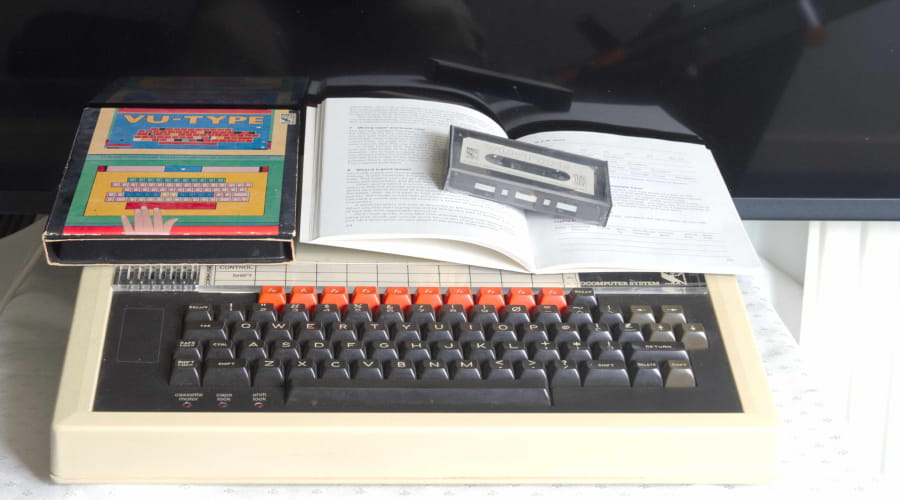
Admittedly, typing skills are perhaps less essential now that mobile devices and touch screens are so prevalent but, over the course of my working life, I must have saved weeks, if not months, of time through being able to touch type. Just in case anyone is unduly concerned, I did also find time to work my way through many of the more traditional BBC Micro games.
Hardware
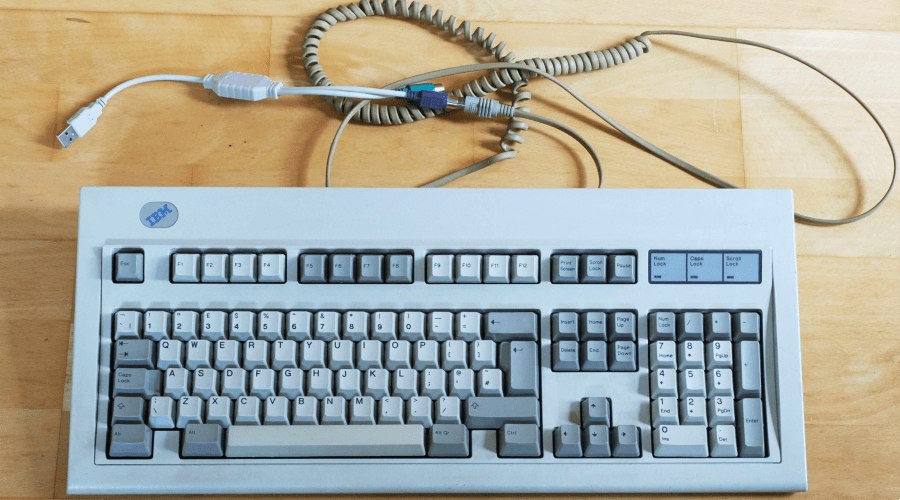
Productivity isn’t just about skills and knowledge; computer hardware has a part to play too. Obviously, the capabilities of the devices on which you run your applications are also crucial. It would be a shame to waste all your productivity gains through having to wait for a slow computer to catch up all the time. However, peripherals are important too. Before we leave keyboards behind, for many of us, the keyboard is still the primary human-computer interface. Spending a bit more on a good keyboard will almost certainly prove worthwhile. It’s interesting to see that some 40-year-old IBM mechanical keyboards sell for over £100 on popular internet auction sites:
Particularly when working on a complicated spreadsheet, ample screen space can be crucial to avoid time being wasted by continually switching views within sheets and between sheets and workbooks. These days, we are much more used to seeing very large screens and multiple screens on everyone’s desk but in days gone by, the most significant hardware productivity recommendation would often be to buy a second monitor, and choosing the right size and quality of monitor, or monitors, is still important now.
Of course, there are a lot of other hardware considerations for increasing productivity and reducing the physical dangers of working with spreadsheets, including comfy office chairs that can be set to the correct height or, perhaps even better, standing desks; the correct lighting and a decent mouse or touch screen.
Conclusion
Being able to choose and use the most appropriate Excel technique or feature to automate all or part of a process can dramatically improve productivity. However, it’s also important not to overlook the positive effects of making some more general changes to your computing environment.
Additional resources
The Power BI based ICAEW Excel archive portal includes an entire series on ‘Productivity and automation’. Just click on ‘Productivity and auto…’ towards the top of the list of series in the centre of the article archive main page:
The 'Open in full-screen mode' icon in the bottom right-hand corner of the embedded report should show the contents at a more readable size with the Escape key returning you to the post.
Archive and Knowledge Base
This archive of Excel Community content from the ION platform will allow you to read the content of the articles but the functionality on the pages is limited. The ION search box, tags and navigation buttons on the archived pages will not work. Pages will load more slowly than a live website. You may be able to follow links to other articles but if this does not work, please return to the archive search. You can also search our Knowledge Base for access to all articles, new and archived, organised by topic.
