How do I find content?
Standard search
With All metadata fields selected, the search looks across all metadata (title, creator, description, subject, and so on) and, where possible, the full text of documents. This can be a good way to cast a wide net.

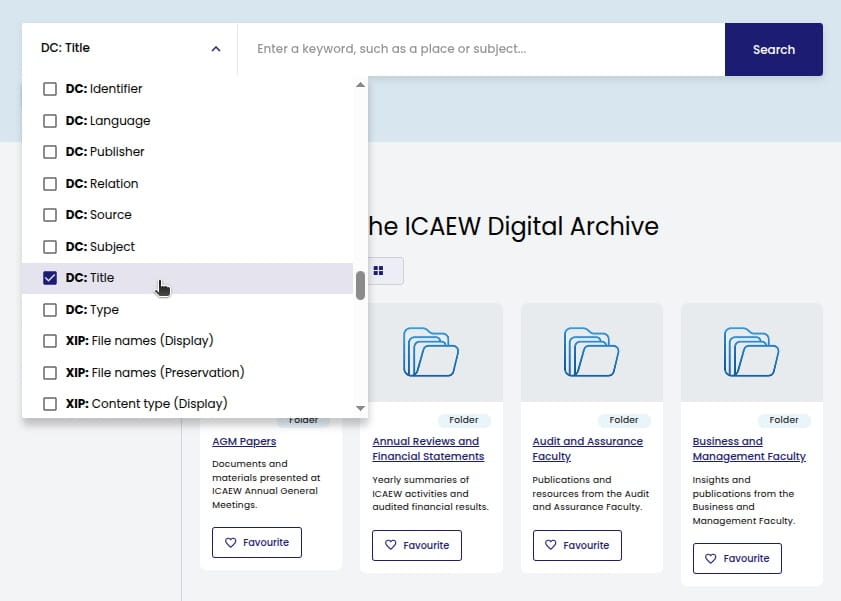
For a tighter search, select a specific field from the dropdown. The DC (Dublin Core) fields are the most useful - DC: Title in particular. We use DC to describe our assets; see How our metadata works for the full list of fields.
Search tips
Phrase search – Wrap your search term in double quotation marks for more precise results. For example, "going concern" finds records where these words appear together.
Exact matches – The search returns exact matches only. A search for "audit" will not find "auditing", so try both if needed.
Wildcards – Use an asterisk (*) to broaden your search. Place it at the start, end, or middle of a word:
- audit* - finds audit, auditing, auditor, auditors
- *report - finds report, reports, annual report
- tech* - finds tech, technical, technology
Advanced search
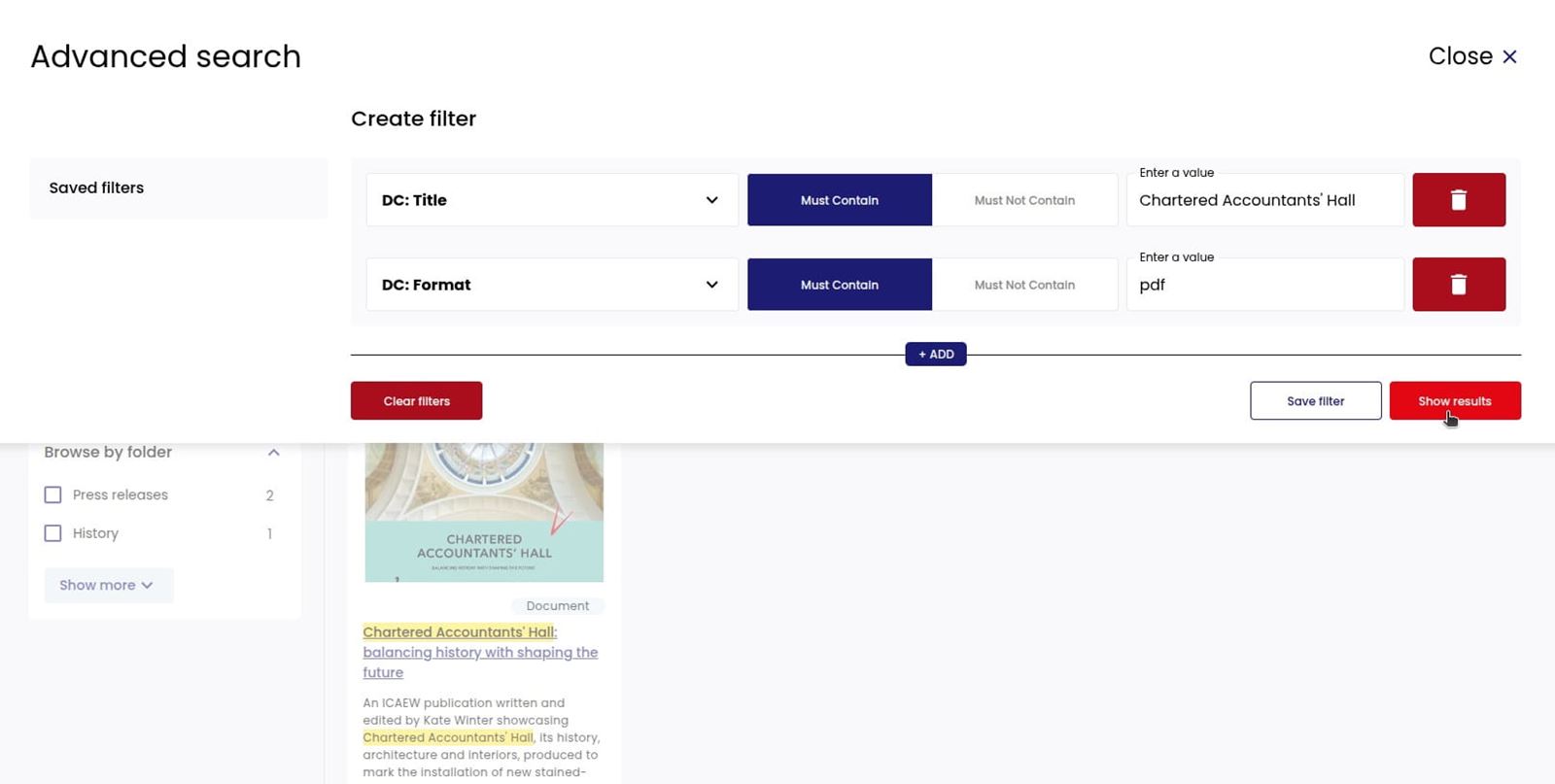
For complex searches, Advanced search is more powerful because you can combine fields. Click Advanced search below the main search bar to build queries with multiple filters.
Choose which fields to search. The most useful filters are those with a DC (Dublin Core) prefix. For each filter, select whether your term must contain or must not contain the text you enter, then add your search term. You can combine several filters to narrow down your results - for example, searching DC: Title for "Chartered Accountants' Hall" and DC: Format for "pdf" to find only PDFs with that phrase in the title.
How our metadata works
Our metadata uses two schemas:
- Dublin Core (DC) – An international standard for describing resources. The DC fields cover bibliographic and descriptive information such as title, creator, subject, date, and format. These are the most useful for searching.
- ICAEW schema – Extensions that add ICAEW-specific fields, including Content Type (a controlled vocabulary that matches ICAEW's taxonomy), Internal Reference, and Notes. These appear alongside the DC fields in the ICAEW digital archive portal.
Knowing what each field contains will help you search more effectively.
Metadata fields
Field |
What it means |
|---|---|
DC: Title |
Document title. Format: title: subtitle, issue/volume, date |
DC: Creator |
Who created the content (authors, faculty, organisation) |
DC: Publisher |
Publishing body |
DC: Date |
Publication date |
DC: Type |
Content kind: Text, Moving Image, Still Image, Sound, Dataset, etc. |
DC: Format |
File format (pdf, docx, xlsx) |
DC: Language |
Language code |
DC: Description |
Summary of the content |
DC: Subject |
Topics covered (e.g. Corporate governance, Due diligence, Financial reporting) |
DC: Contributor |
External organisations (e.g. London Stock Exchange, Deloitte, FRC) |
DC: Relation |
Series or collection (e.g. Technical Release, ICAEW Representation, Tax Representation) |
DC: Identifier |
ISBNs, URLs, ICAEW codes (TECH 01/24, ICAEW REP 66/06, TAXREP 4/10) |
ICAEW: Content type |
Kind of content (controlled vocabulary, e.g. Report, Technical release, Webinar) |
ICAEW: Internal Reference |
Internal use |
ICAEW: Notes |
Internal use |
Example record
This is how a typical record appears in the ICAEW digital archive portal:
Field |
Example value |
|---|---|
DC: Title |
AIM notice 24, ICAEW REP 66/06, December 2006 |
DC: Creator |
ICAEW |
DC: Subject |
Equity capital markets, Corporate finance, Financial reporting and accounting standards, Corporate governance, Due diligence, Business management and strategy, Accountancy organisations, Accountancy profession and regulation |
DC: Description |
Memorandum of comment submitted by ICAEW in December 2006 responding to London Stock Exchange AIM Notice 24 concerning AIM Rules for Companies, AIM Rules for Nominated Advisers and AIM Disciplinary Procedures and Appeals Handbook; supports lighter-touch disclosure; calls for clarity on pro forma financial information and profit forecasts; raises concerns about publishing nominated adviser declarations; encourages guidance on responsibilities for admission documents and ongoing corporate governance applying the Combined Code; comments on due diligence, working capital reports, comfort letters and verification standards; suggests amendments to engagement responsibilities for incoming nominated advisers; notes no comments on the disciplinary procedures. (AI generated description) |
DC: Publisher |
ICAEW |
DC: Contributor |
London Stock Exchange |
DC: Date |
2006-12-01 |
DC: Type |
Text |
DC: Format |
|
DC: Identifier |
ICAEW REP 66/06 |
DC: Language |
en
|
DC: Relation |
ICAEW Representation |
ICAEW: Content type |
Representation |
ICAEW: Notes |
MEP NK |
Browsing web archives
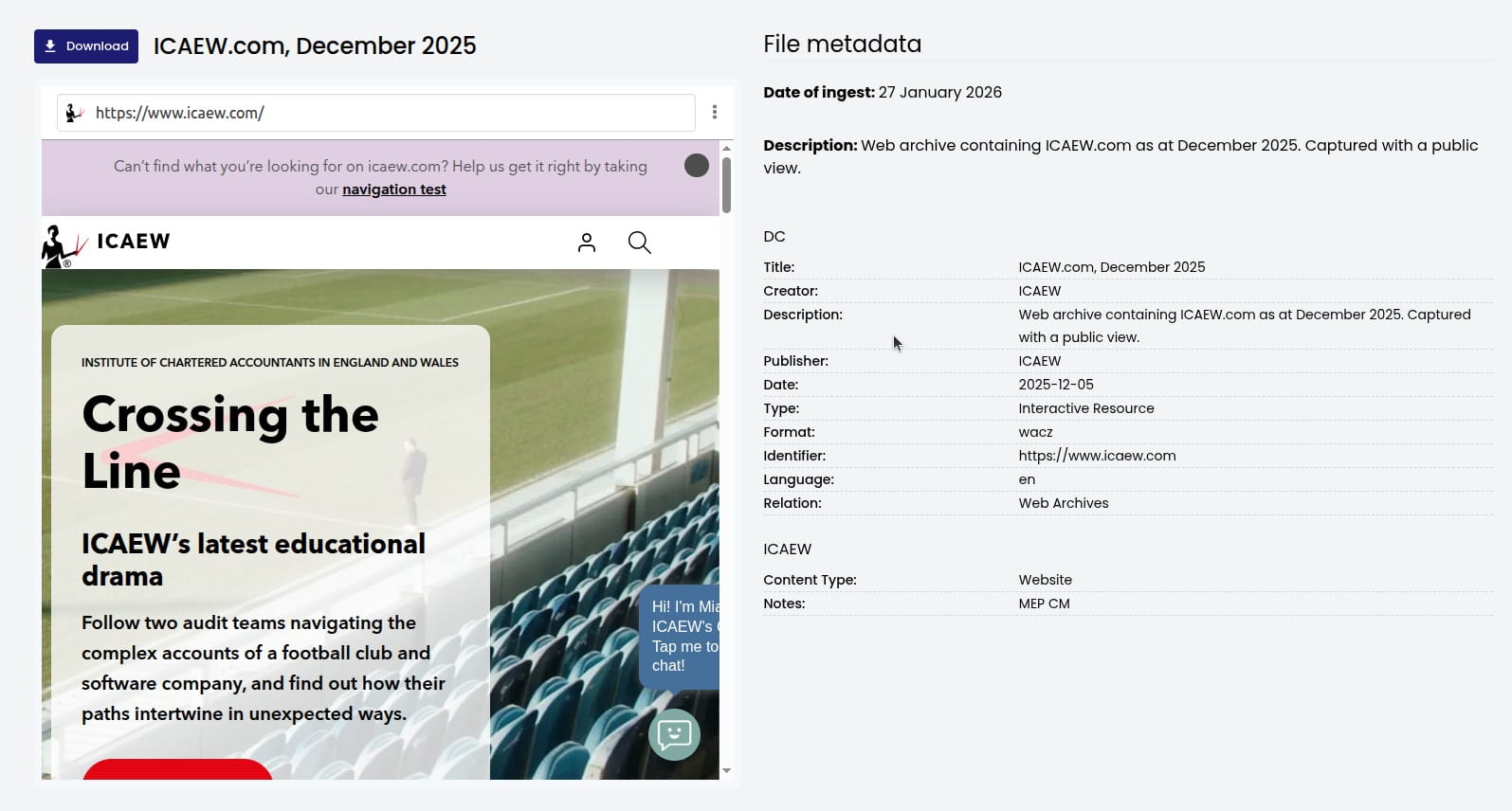
Web archives hold snapshots of websites as they appeared at a specific date. Access them via Web Archives in the top navigation bar. Example:
You can browse web archives much as you would a live site - click links, follow navigation, and move between pages. Note that not all web archives will be 100% functional or faithful to the original, due to the constraints of web archiving technology.
Opening a web archive
When you open a web archive, it loads to the homepage (or landing page) of the captured site. The URL bar shows the original address of the archived page.
Browse Contents
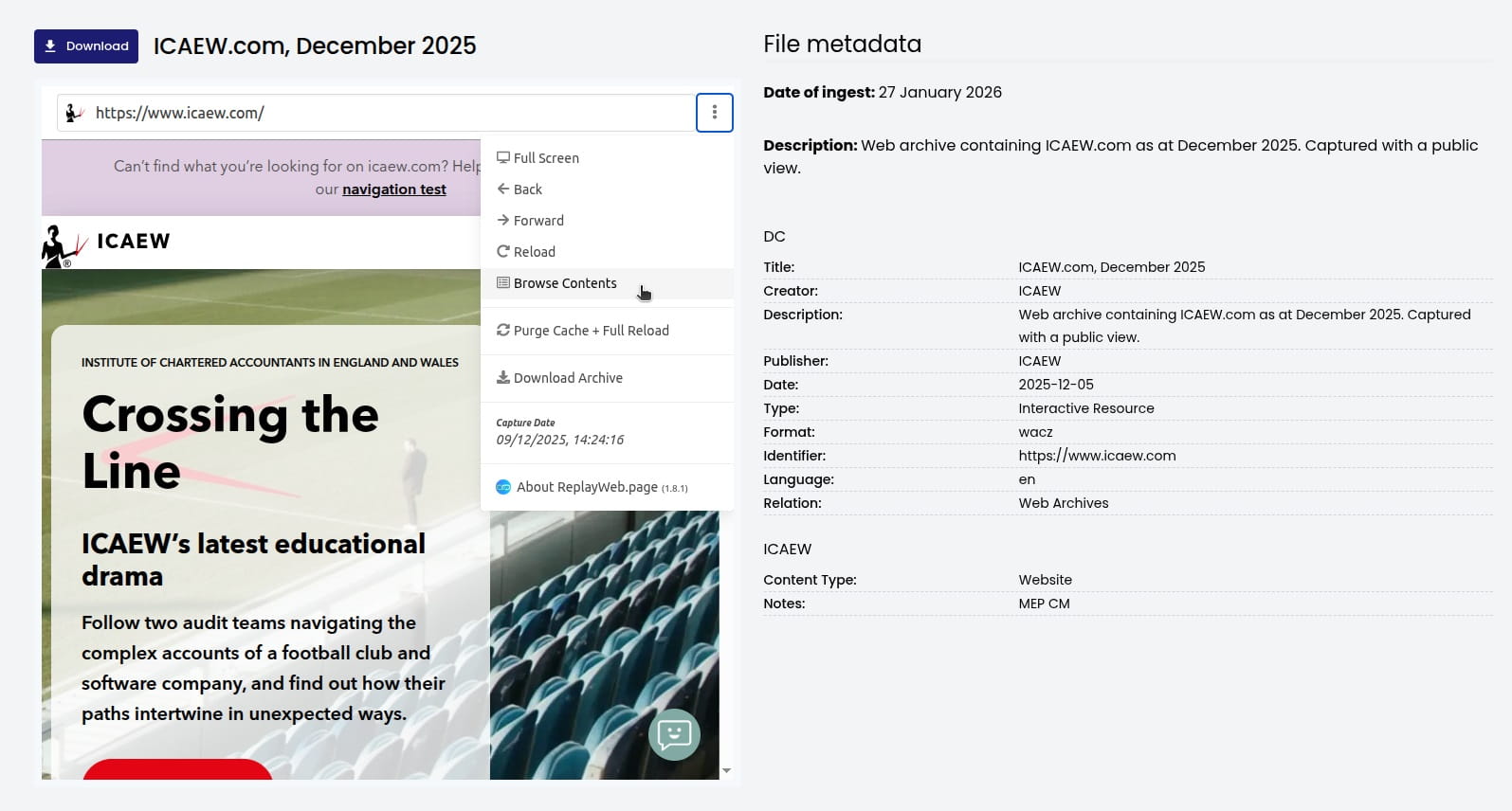
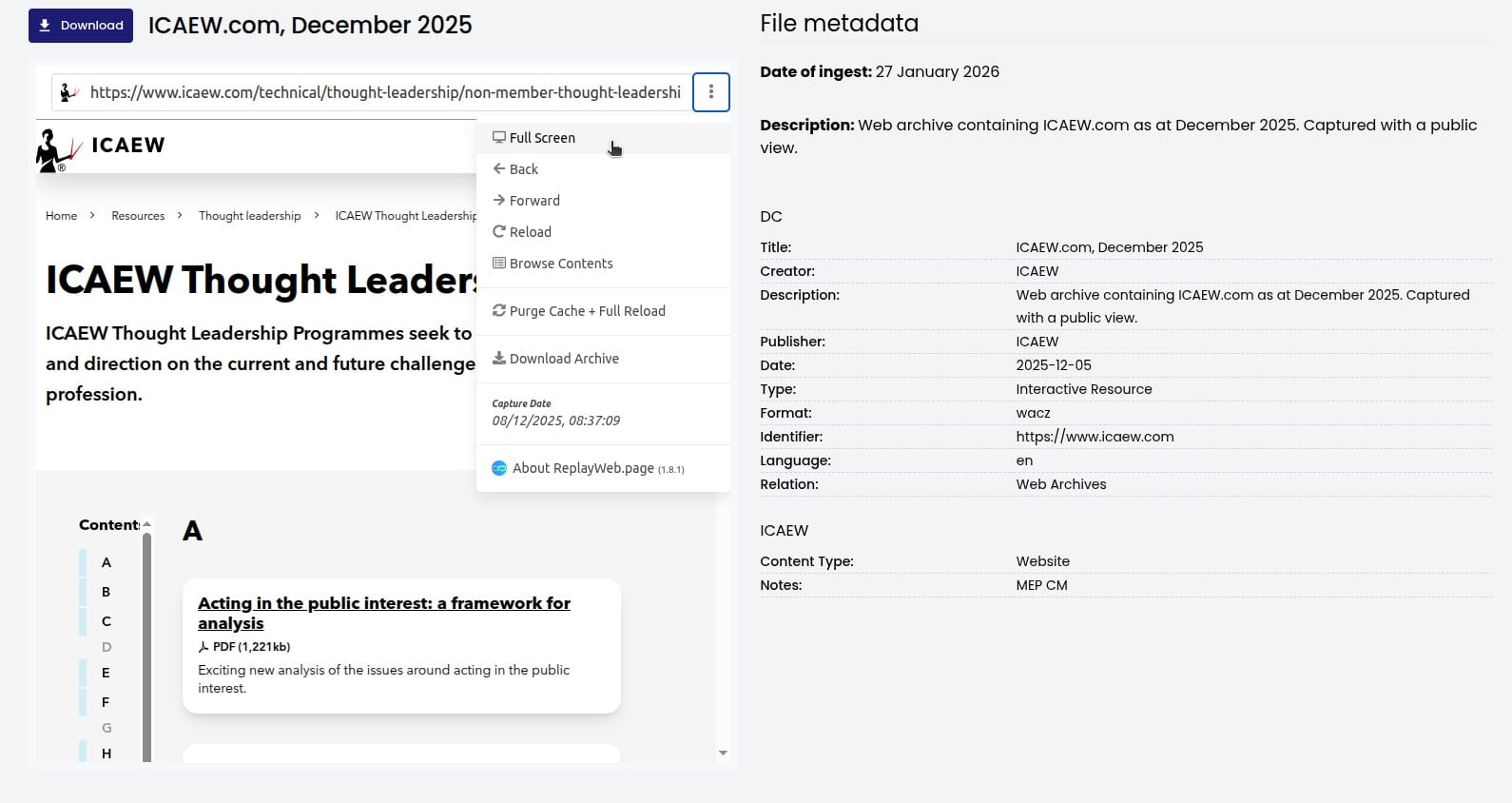
Use the three-dot menu (⋮) next to the URL bar and select Browse Contents to see a list of all captured pages in the archive. This helps you explore the structure of the archived site without following links.
Searching within a web archive
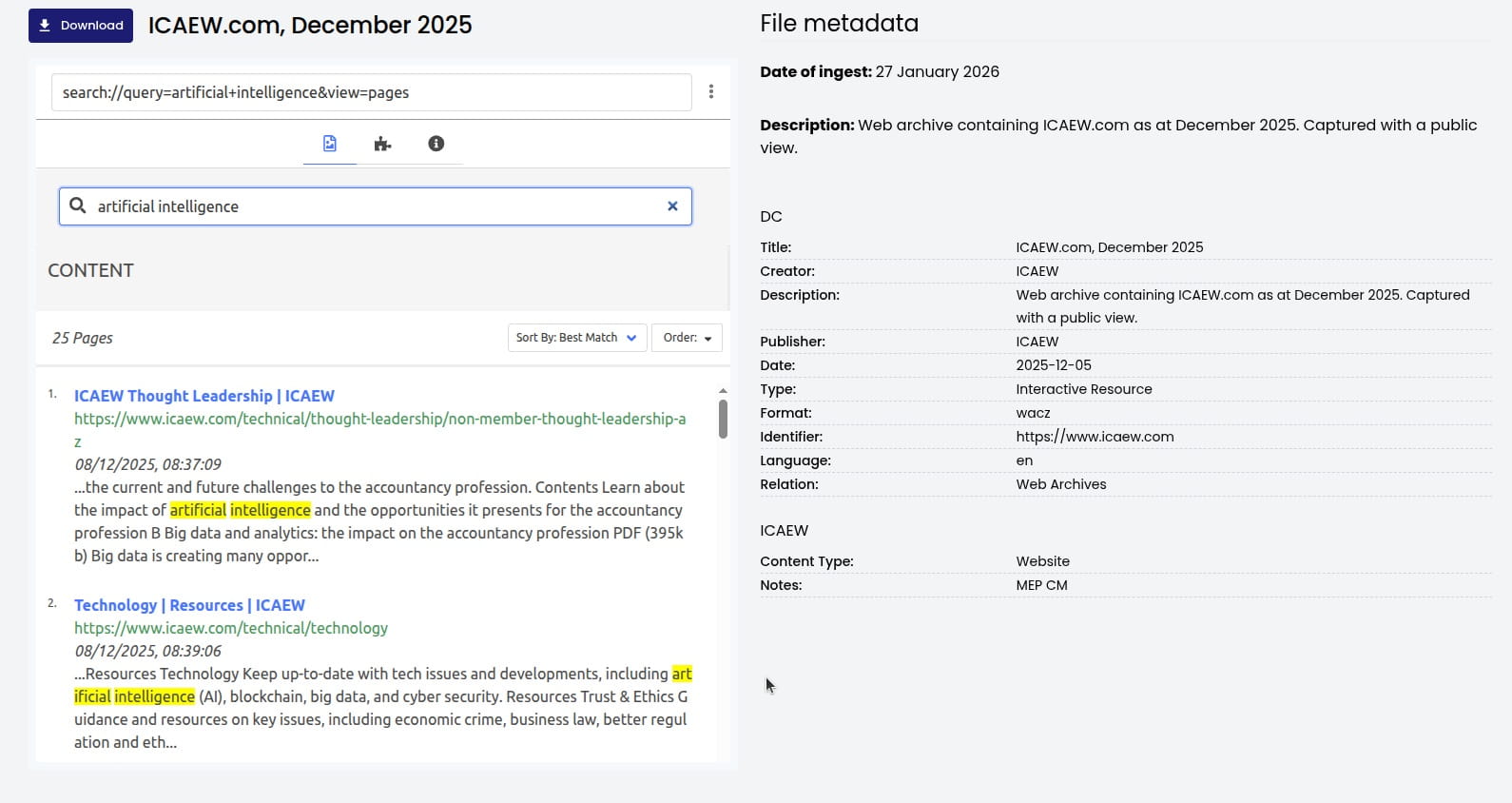
Some web archives let you search by entering a URL in the address bar or using a free-text search box (not all web archives will support this - it depends on how the archive was captured). Where available, you can type a search term to find matching pages within that archive.
Full-screen view
Click the three-dot menu and select Full Screen to expand the web archive viewer. This makes it easier to read and navigate. Press Esc to exit full screen.
Quick reference: common search scenarios
Goal |
Suggested approach |
|---|---|
Find a specific technical release |
Search Identifier for "TECH" or the code (e.g. TECH 01/24) |
Find ICAEW representations |
Search Identifier for "ICAEW REP" or the code (e.g. ICAEW REP 66/06); filter by Relation: "ICAEW Representation" |
Find Tax Faculty representations |
Filter by Relation: "Tax Representation" or Creator: "Tax Faculty" |
Find annual reports |
Filter by Content Type: "Annual report" or browse the Annual Reviews folder |
Find material by a Big Four firm |
Search Contributor for "Deloitte", "KPMG", "Ernst and Young", "PwC" |
Find thought leadership |
Filter by Content Type: "Thought leadership report" or Relation: "Thought Leadership" |
Can't find what you're looking for?
The ICAEW Library can give you the right information from trustworthy, professional sources that aren't freely available online. Contact us for expert help with your enquiries and research.