To help make recording your CPD as easy as possible ICAEW has created an online CPD record which you can access through icaew.com. Follow these simple steps.
An ICAEW digital CPD record has been created for every ICAEW member and enables you to document your CPD requirements, the activities you’ve completed and upload verification evidence via icaew.com, meaning its accessible anywhere, at any time.
You can access your record via your member dashboard and it is also linked to ICAEW’s AddCPD tool. This means that is easy to add the time spent on icaew.com as verified CPD.
Access via your dashboard
1. Log into icaew.com
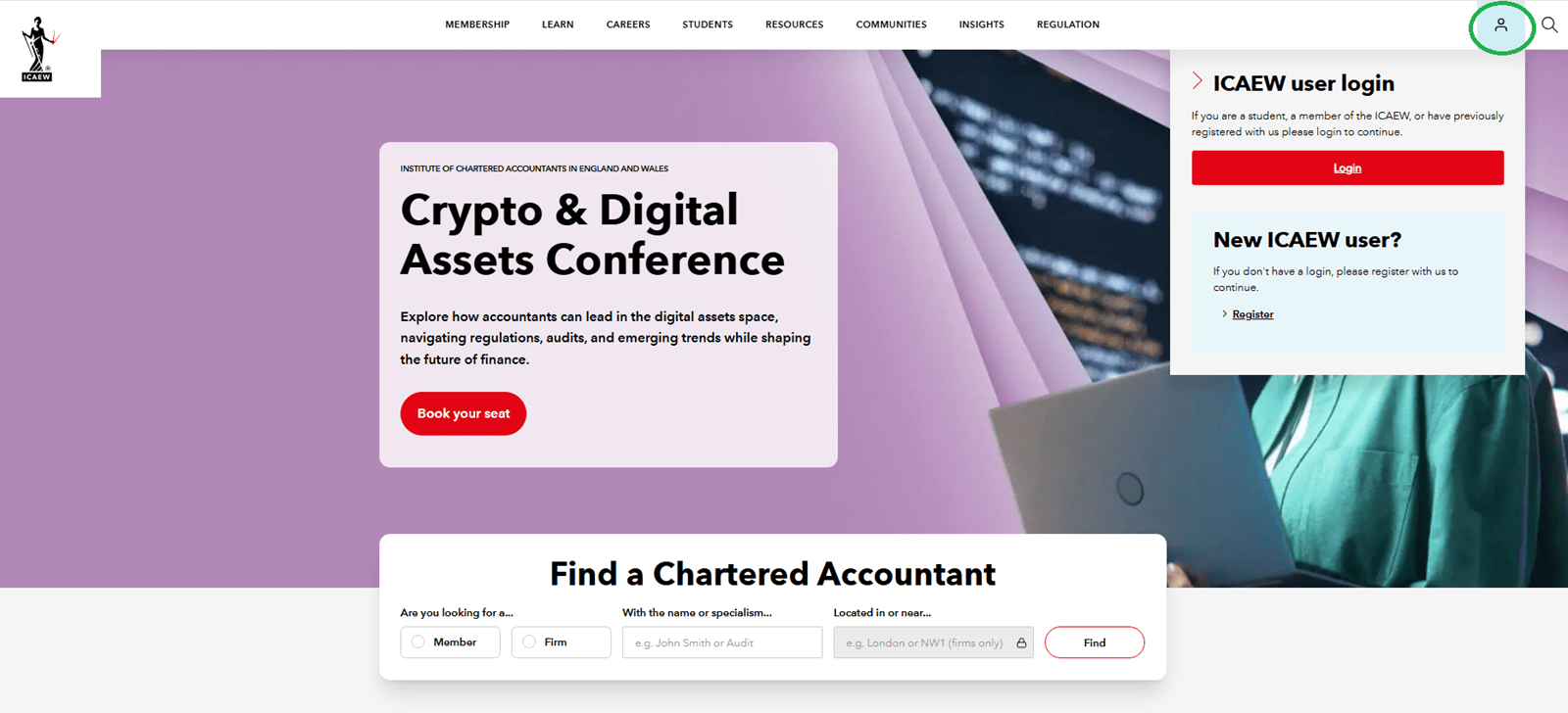
You can login using your member credentials from any page on icaew.com by clicking the icon at the top right of the screen.
2. Navigate to 'My dashboard'
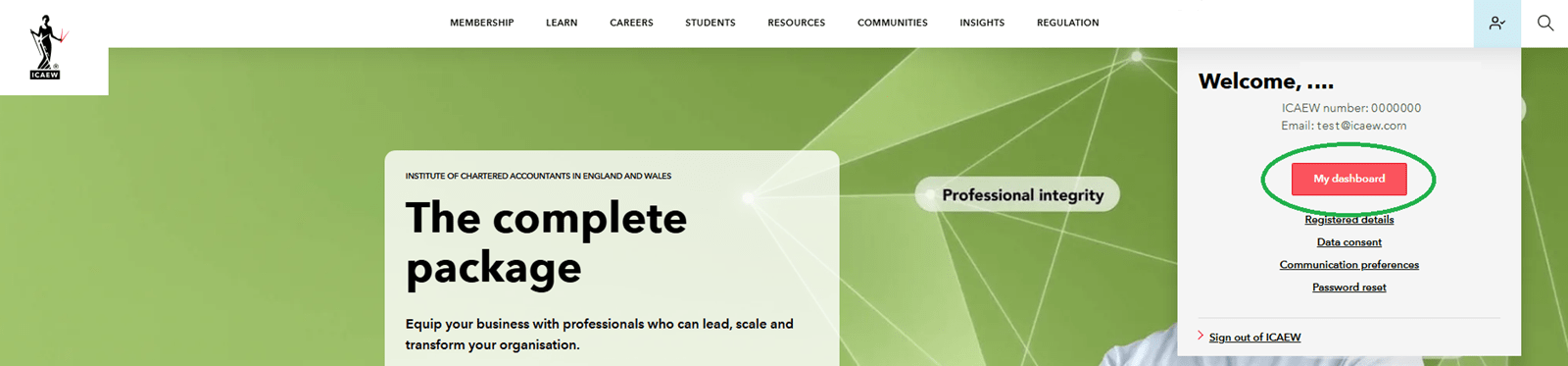
Once you have confirmed your username and password the webpage will reload and the icon at the top right of the screen will now have a tick.
Click on the icon again and you can navigate to ‘My dashboard’.
3. Access your CPD record
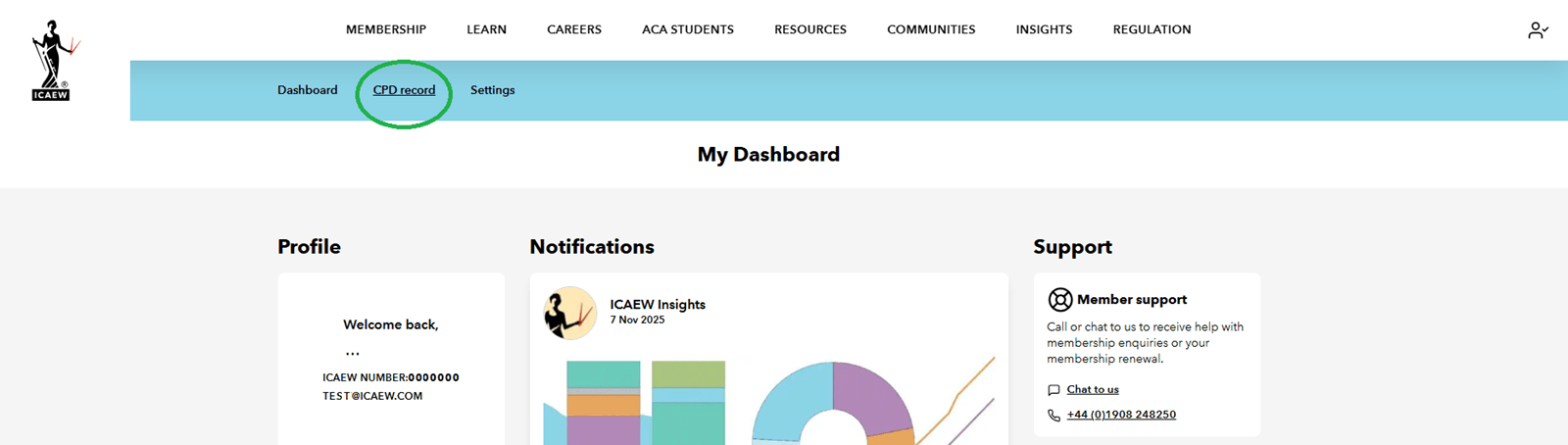
Inside your dashboard you can access your CPD record from the blue navigation bar at the top of your screen.
4. Start using your record
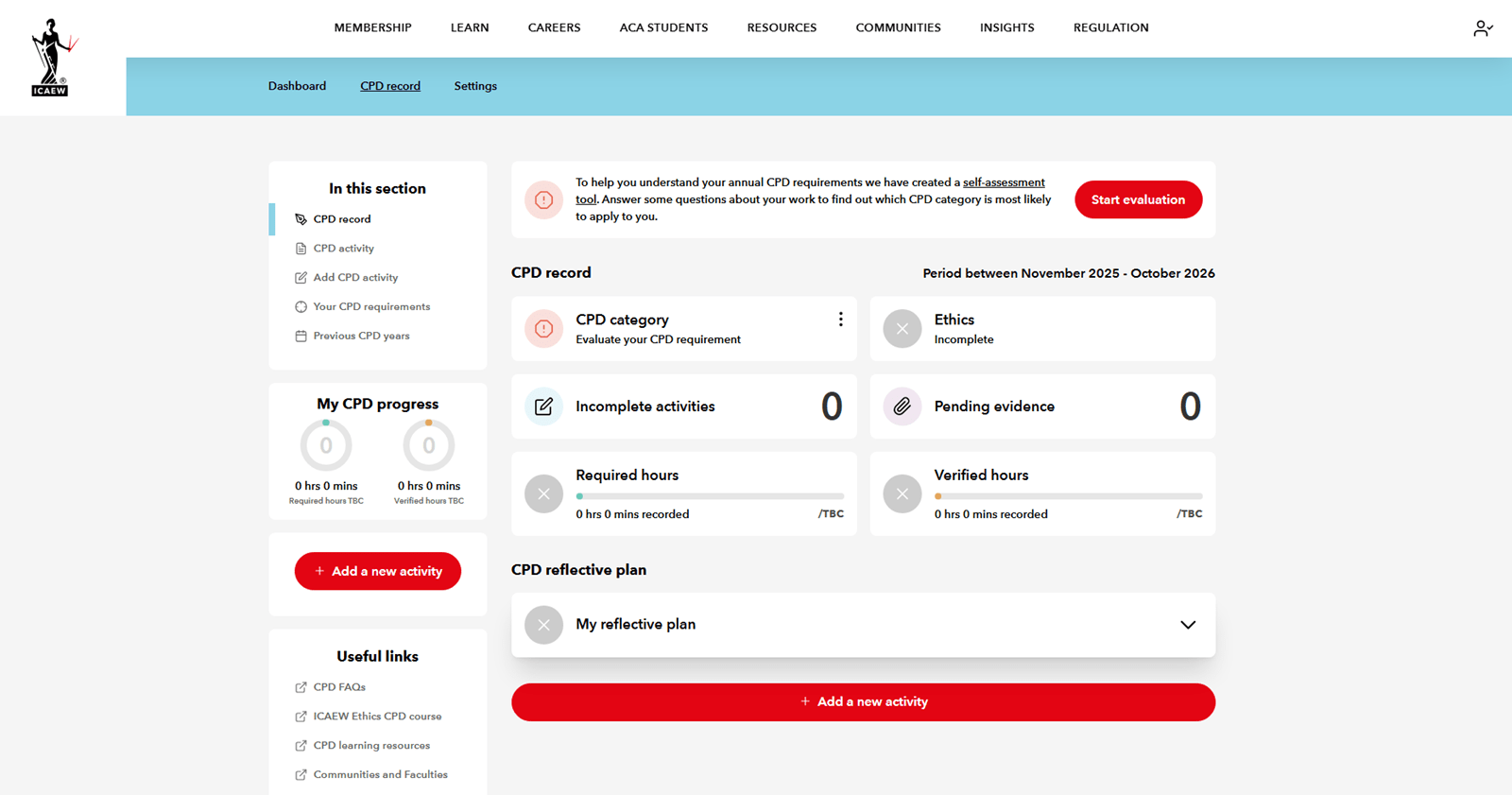
When you open your record, the best place to start is by adding your CPD category. You will then be able to track your progress against your total required hours and verified CPD hours throughout the year.
If you have used the record in the previous year, you will be asked to confirm if anything has changed that would affect your CPD category. If nothing has changed it will automatically populate your record for the current year with your existing CPD category.
If you haven’t already input a CPD category, the record will prompt you to find out what CPD category applies.
Once you have a CPD category applied your record will then track your progress against its requirements.
5. Add reflective plan and activities
When you are clear on your CPD requirements, you can write your reflective plan inside the digital record and save it. You can update your plan throughout the year, if you identify new CPD needs.
They key purpose of the online record is to hold information on the different CPD activities you complete throughout the year in one easy-to-manage place.
Every time you add an activity, you’re prompted to include details, including:
- when you undertook the activity,
- how long it took,
- why you chose the activity, and
- what you learned from it.
These details will be used to calculate how much CPD you have to complete for the rest of the year and demonstrate how each activity is relevant for your professional development.
If you are short of time or don’t have all the information you need to hand, you can save activities and come back later to add more detail or to upload verification evidence.
You can drag and drop a range of different file types into the record to upload as evidence, including Word documents (docx), PowerPoint presentations (pptx), PDFs, Excel sheets (xlsx), images (png, jpg, jpeg) and email files (msg, eml).
Access via AddCPD tool
ICAEW produces a huge range of content on icaew.com to support members’ professional development.
Alongside insights providing the latest developments impacting finance and accountancy professionals, our communities offer webinars tailored to industries or specialisms, while the faculties and technical advisory team provide a wealth of technical support.
Whether you’re listening to an insights podcast explaining the Economic Crime Act or reading through a technical helpsheet on accounting for crypto currencies, this can count towards your verifiable CPD requirements, thanks to AddCPD.
The tool appears as a pop up at the bottom right of icaew.com webpages when you are logged into the site.
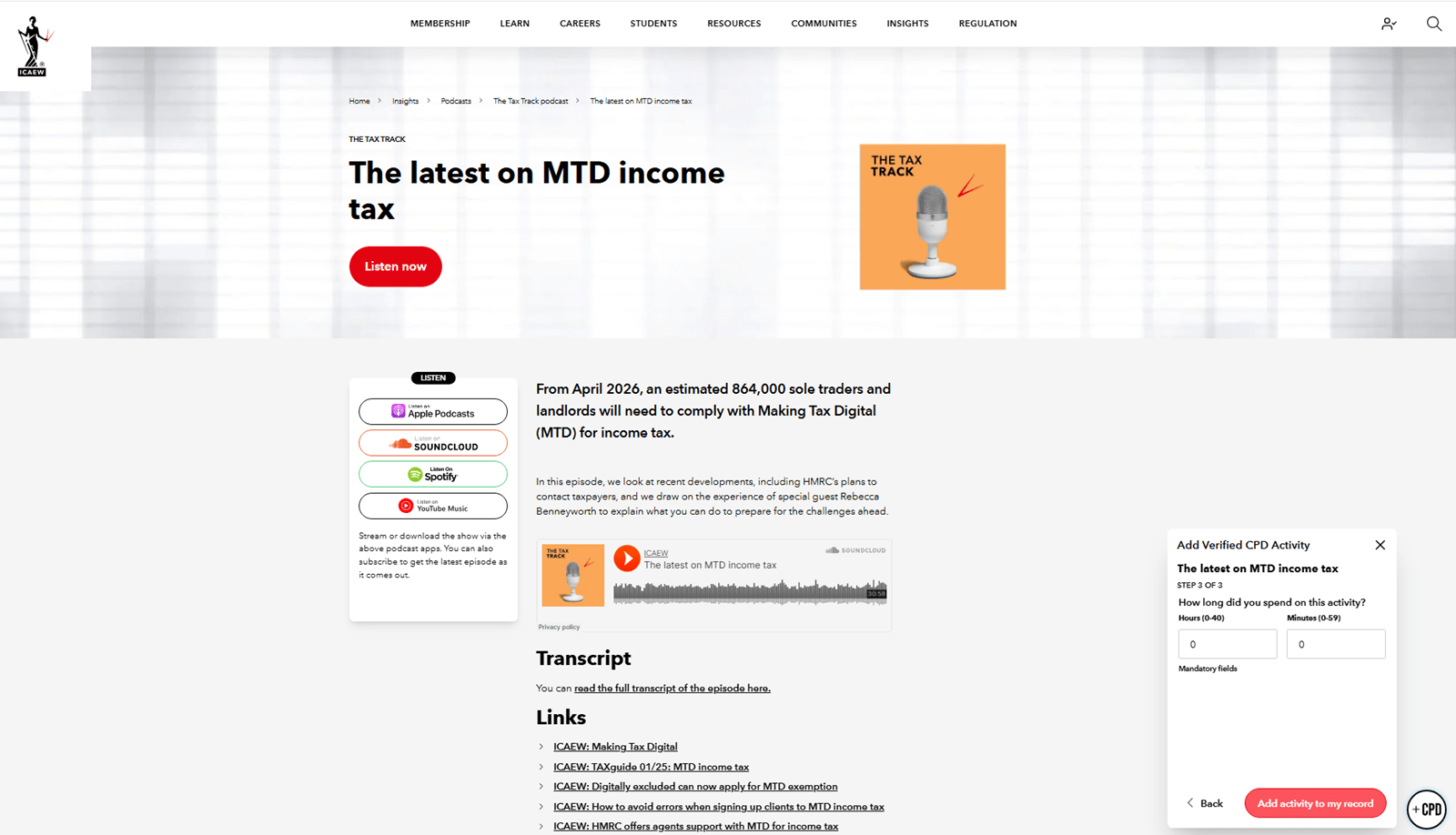
Click on ‘+CPD’ to add that activity to your record and it will prompt you to record some information about that activity:
- Why did you choose this activity
- What did you learn
- How long did you spend on the activity
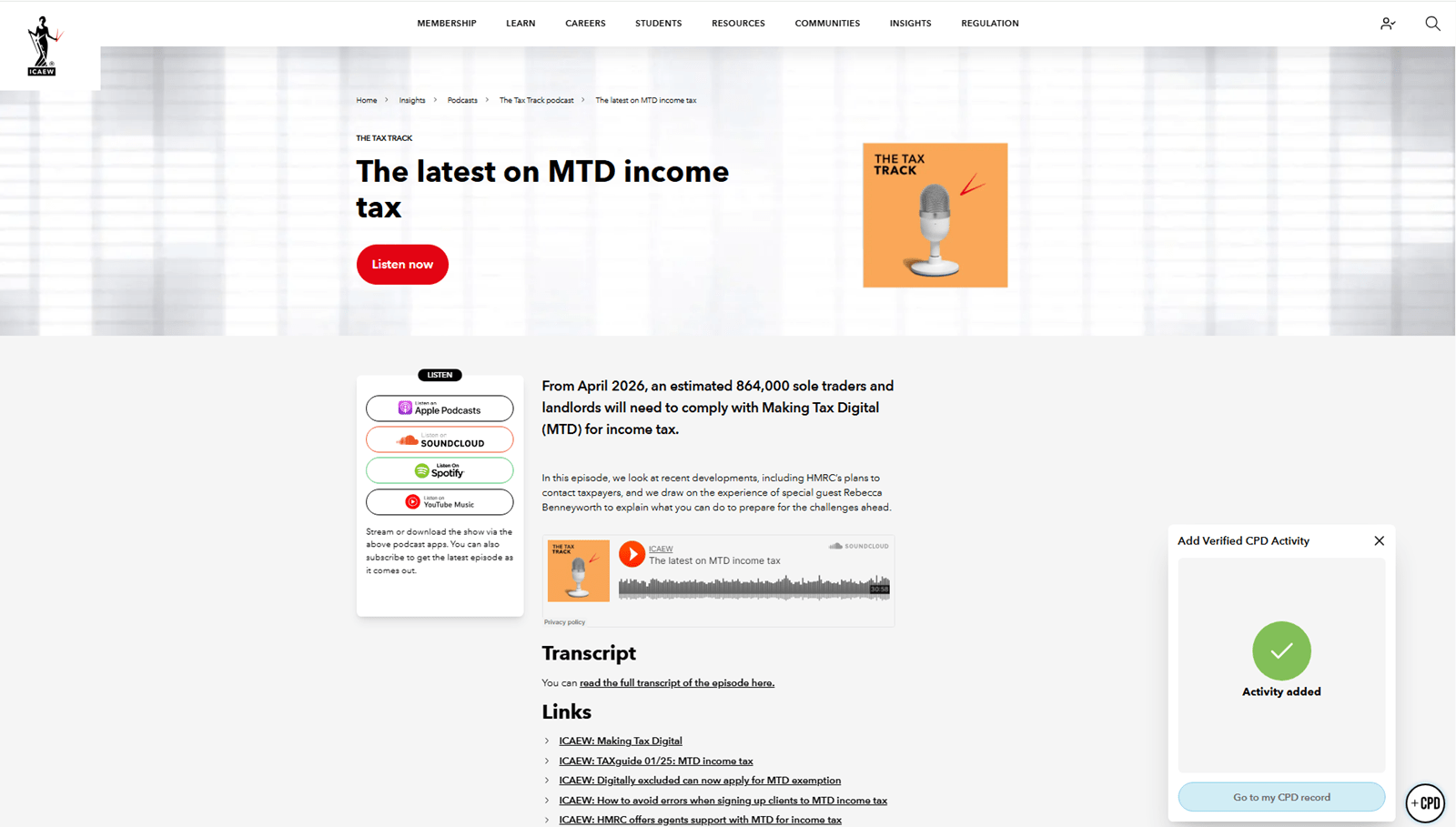
It is optional to complete these aspects, but it is often easiest to do so at the time. After these three prompts, you’ll then be able to save that activity to your record, where it will automatically contribute towards your verified CPD requirements.
You then have the option to go to your CPD record.
Accessing previous years’ CPD records
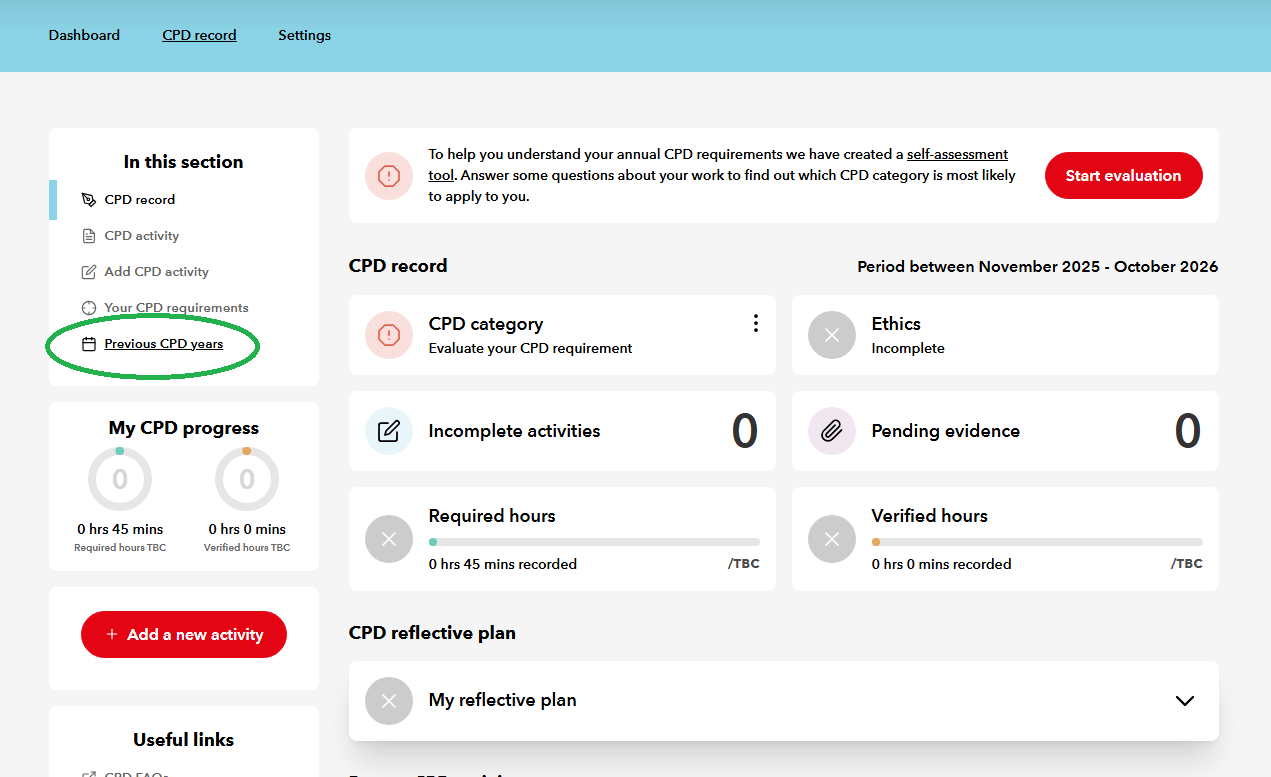
If you have used the digital CPD tool in previous years, you can continue to access those records. From the main CPD record screen simply click ‘Previous CPD years’ in the left-hand menu.
You will then see an overview of each year’s CPD record going back five years, including trackers confirming the progress that was made against requirements.
ICAEW has ensured that users can add CPD activities to the previous year’s record if needed. This means that members can add any activities that they missed in the preceding CPD year.
Add a CPD activity as you would normally and simply add the date it was completed in the previous CPD year. A pop-up message will appear and direct you to the ‘Previous CPD Years’ section of the record to view the activity once it has been saved.
Similarly, if you need to add additional details or evidence for activities you posted in the previous year, you can do this too.
Members who used the previous online CPD record will be able to access this information until 31 October 2027.
Get in touch
If you have any questions about CPD, don’t hesitate to contact us. Phonelines and webchat are available between 09:00-17:00 (UK time) Monday to Friday and 10:00-17:00 on Wednesdays (excluding UK bank holidays).
Digital CPD record
You can access the digital CPD record that ICAEW has created for you through your member dashboard.
Access the record