
Our digest of new features across Microsoft 365 & other business tech products in written, images & video format covering the last three months.
See the previous update which includes some September features.
My top 5
- Type example outputs & Excel suggests the formula for Copilot subscribers
- Edit notes in presentation mode in PowerPoint
- Group chats & shared projects to collaborate on Chat GPT
- Copy the style of one graphic to another in Canva
- Convert slides to a narrated video in Google Vids
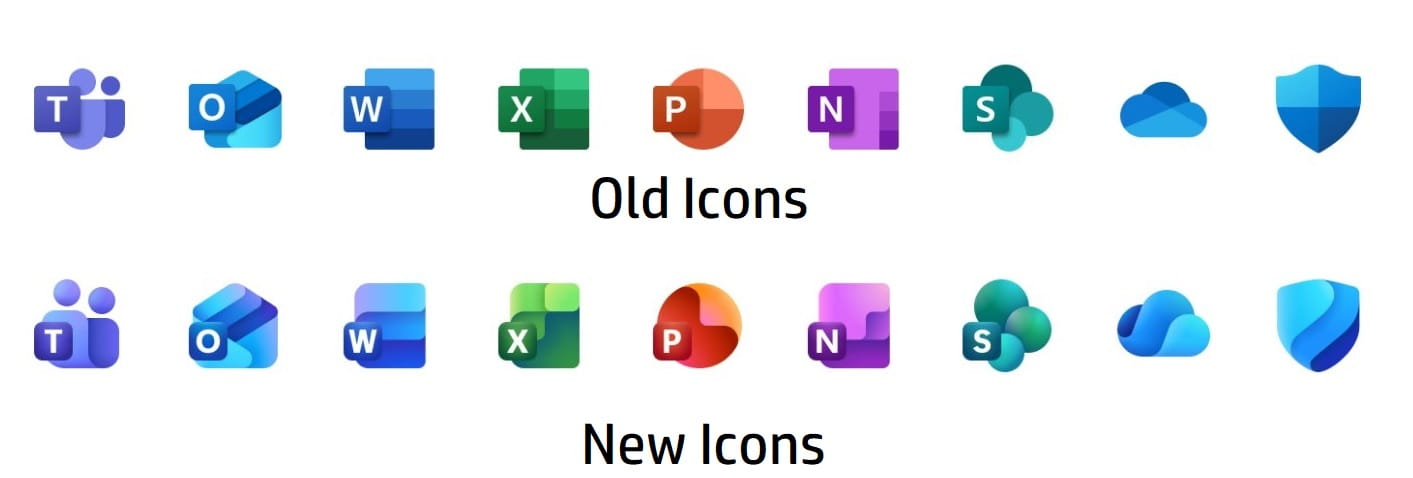
New Microsoft app icons
Every three years or so, Microsoft would redo their icons typically, however since 2013 they’ve only refreshed them every six years, so icons have been unchanged since 2019 until this fresh batch:
Excel
Excel turned 40 this past quarter on 30 September, it’s incredible to think how much of an impact it has had. Microsoft publishes a digest every month which the author contributes to, here are articles for September, October and November 2025 and the image shows which features are in which channel (see below for how to check your channel).

New in Excel Desktop Current Channel
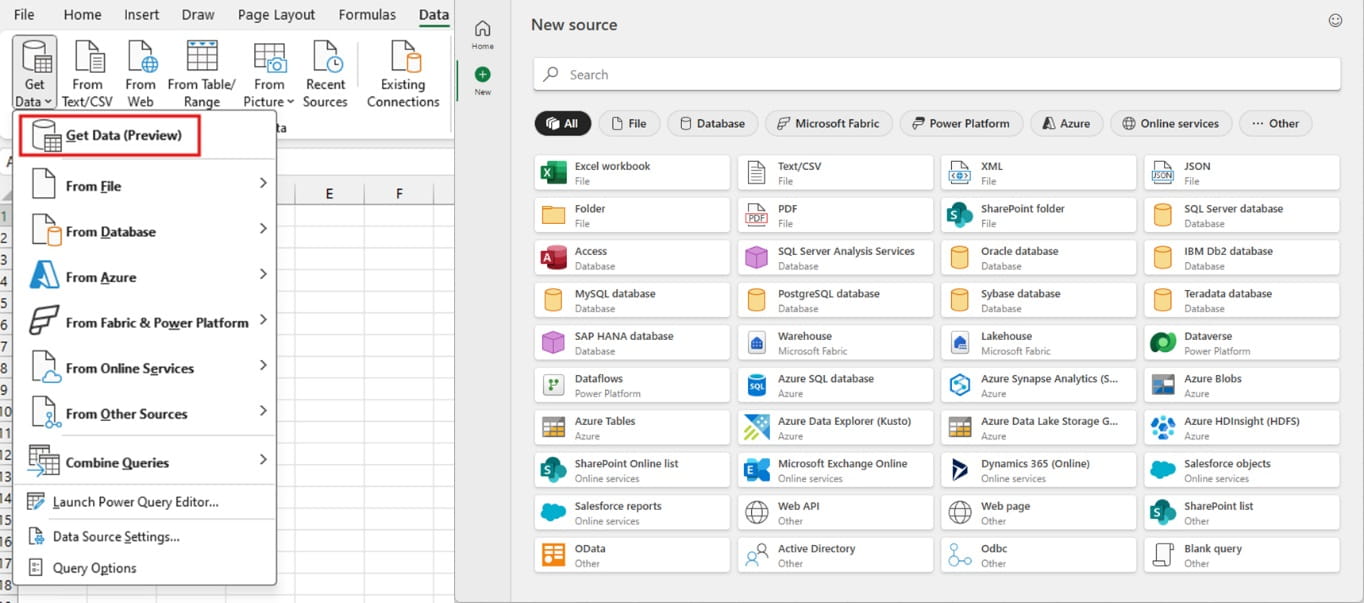
- New Get Data dialog box: Click Data tab > Get Data > Get Data (Preview) for a new interface to link your Excel via Power Query to other data sources. Microsoft have announced this is the first step in modernising the Windows Power Query experience, which will soon look like the Mac version, with new views and other new features.
- Analyse data moves to the Data tab: A new home for this feature that autogenerates charts and Pivot Tables without a Copilot license, or even ask a question about your data. More in these videos:
New in Excel Current Channel for Copilot subscribers (paying an additional $20-30 per month)
- Formula by example: Start writing a formula output in an adjacent column and by the second entry, Excel will sometimes suggest a formula for you. This works best using Excel Tables but also in regular ranges. It can do things like:
- Text transformations include:
- Removing whitespace
- First/last name (i.e. every character before/after the space)
- Initials
- Date transformations include different date formats
- Round numbers or add them together across columns
- Number the rows 1, 2, 3 etc.
This documentation claims it works in the above instances, but I have not always been successful, and since there’s no button to manually trigger it, its not always so smooth. This video explains more:
Word Current channel
- Apply ink to shape as you draw.: Draw tab > Ink to Shape can be selected before drawing a shape and Word will convert everything as you draw before deselecting it, previously it could be applied afterwards only.
PowerPoint Current channel
- Edit notes in presenter view: Add or edit notes once you’re already in slideshow mode as long as you are in presentation view. This can be accessed in two ways:
- When you’re connected to another screen, go to Slideshow > Tick presenter view
- Press Alt F10: Note this method works when you’re only on one screen
Microsoft 365 Core Office Apps channels and Copilot versions explained
Excel, PowerPoint, OneNote, Outlook and Word release regular updates to Microsoft 365. To see or update your version, click File> Account. The Current Channel should now be on version 2510, which is the year 2025 and month 10 (October) which is lagging behind as 2512 (December) should be released later this month, the Monthly Enterprise channel releases updates a couple of months after the Current Channel. The Semi-Annual Channel released an update in July 2025 up to version 2502 but none since. The Insider or Beta features are only available for a small selection of people who sign up to help test features, so they haven’t been reported explicitly, but they give a good idea of what is coming next. Frontier is a new tier that gets Copilot/AI features ahead of others.
Microsoft 365 has three license tiers for Copilot:
- Copilot Free is accessible via a web browser but not inside the apps.
- Copilot Pro ($20/month) is for M365 home users, and is in apps for Excel, PowerPoint and Word.
- Copilot for Microsoft 365 ($30/month) is the same as above but also within Outlook and OneNote and integrates with SharePoint and other Office Apps from Forms to Loop and more.
Microsoft Teams
*These features are only available to AI enabled Teams, i.e. Teams Premium or Microsoft 365 with Copilot.
- Enter an emoji in any Teams chat by typing :text_to_search: e.g. :angry: or :gift:
- Forwarded message links: If someone forwards a message, you can click the message to take you to the original location (assuming you have access)
- Share app from app bar via right click, right click any app on the top > Copy link to tab
- Chat to anyone with an email address: They'll receive an email inviting them to join your chat session as a guest
- *Podcast style meeting recaps on the go: From the Calendar > Scroll to recap section > View recap > Audio recap. You can access it from other places. More info
- *Pop-out Intelligent recap for calls: Select Calls > View recap to access
- *Type @facilitator in a Teams meeting then assign a task: E.g. @facilitator Mary should review the proposal by Thursday.
Other Microsoft 365 apps * are for paid copilot license holders
- Enable sensitivity labels in Forms: Add a label for which audiences can view similar to Excel & Word’s functionality.
- *Schedule prompts: Copilot can now run prompts periodically (e.g. daily/every Tuesday). After writing a prompt, click the 3 dot menu > Schedule this prompt.
Power BI
Power BI releases monthly update blogs, here they are for September, October and November. The features below marked with a ^ must be turned on as preview options via File > Options and settings > Options > Preview settings and items with a * are for Copilot users only.
- New Card visual: Now generally available, this updated visual has capabilities like:
- Use for a single or multiple cards
- Adding hero images
- c. Dynamic collage layouts
All new reports will have the new version, and existing reports can opt into swapping classic card visuals for new ones via View tab > Theme > Customise Theme. More info
- Table & matrix visuals grow to fit: If you’d like to auto-grow your tables as you expand them, go to Column headers > Options, toggle Auto-size width to ‘On’, and set ‘Resize behavior’ to ‘Grow to fit’.
- Button slicer generally available: This updated version works better with images & cross highlighting.
- Power BI controller in PowerPoint: This makes it easy to manage many Power BI inputs in your PowerPoint slides. Find under Add-Ins in PowerPoint
- * Smarter, More Capable Visual AI Creation: Type a prompt of which visual you’d like to display and Power BI’s copilot will improve its ability to help.
Google Workspace (general users)
- Set a timer on Google Meet: Every participant can see the countdown. Activate via Activities > Timer
- Google workspace customers can turn on a Waiting Room for meetings with additional capabilities such as broadcasting a message to the waiting room. More info
- Use more reactions in Google Meet: Previously only a small subset were allowed, similar to Teams and Zoom
- Block off time to work on a specific task in Google Calendar liked to a Google Tasks task. More info
- Set expiration date for sharing of files/folders stored in Shared Drives: Previously this existed in personal Drives only
- Create vertical & square videos in Google Vids
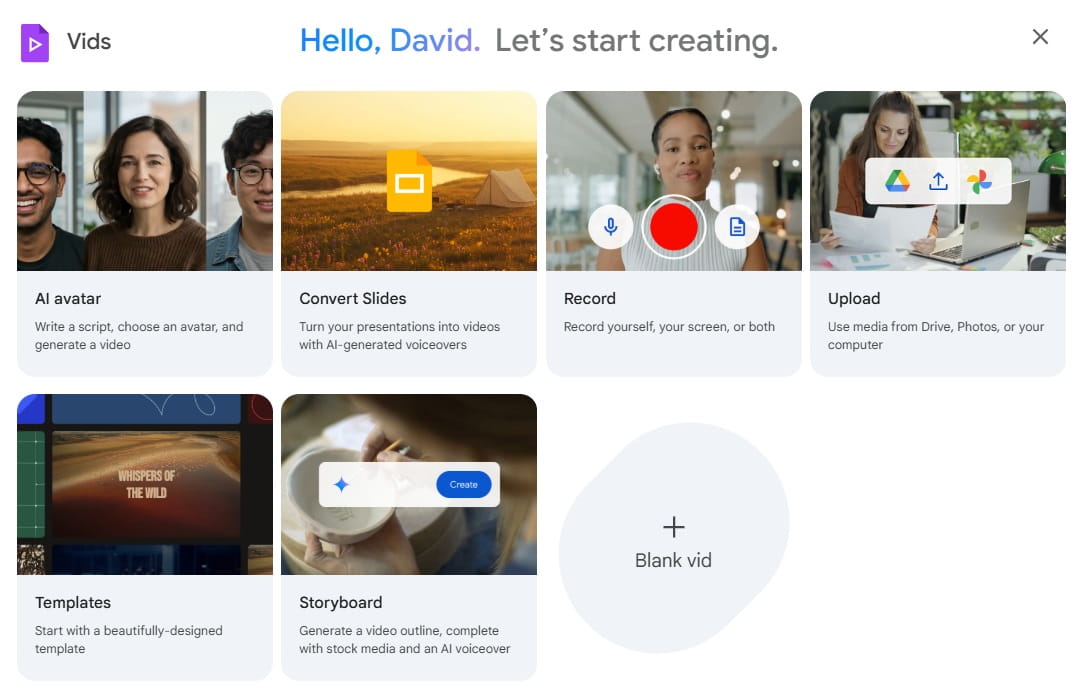
- Convert slides to narrated video with AI: When you create a new Google vids file, you can now convert slides, and it will create the voiceover, animations and more, the narrative can be edited after. It’s not perfect but here is one I converted earlier
Google Workspace (Gemini users only)
- *Text responses in Forms: Gemini will use AI for text analytics where it shows an overview to responses.
- *Do multiple steps with Gemini in Sheets: You can ask in a single prompt to make “Complete” in green, add a column adding numbers and summarise via a Pivot Table.
- *Use Google Gemini across multiple tables in Google Sheets, you can ask for a formula like an XLOOKUP or SUMIFS that references multiple tables.
- *Listen to PDFs like a podcast: Gemini can create audio summaries of pdfs stored in Drive
Zoom meeting enhancements
- Send GIFs in meeting chat via GIPHY
- Update Zoom app after meeting ends: The auto-update prompt doesn’t delay joining meetings anymore by loading on the startup of the app
- Presenters control when shared Zoom Clips begin playing: If shared during meetings, presenters must click on play.
- Create task from in meeting chat messages: Click More > Create task
- When starting a 1-1 meeting with someone, any previous chat (direct message) is loaded into the meeting chart
- Meeting attendants no longer see when participants join or leave a meeting in the chat
- Failed messages (sent when device was disconnected) now will resend automatically when reconnected.
Chat GPT
- Speak into the chat interface, no need to switch to Advanced voice mode. If you'd prefer, you can switch back to the separated Voice experience choosing Settings > General > Voice > tick Separate mode.
- GPT-5.1 has replace GPT-5, the updated one is rated highly for writing help, data science & answering business questions.
- Personalisation to chat GPT now applies to all chats: Previously it was only for existing chats
- A new pricing tier "Chat GPT Go" is now available in new countries (but not UK). It offers access to certain Chat GPT Plus features for a far lower price. More info
- Shared projects: Collaborate with others via a chat GPT project
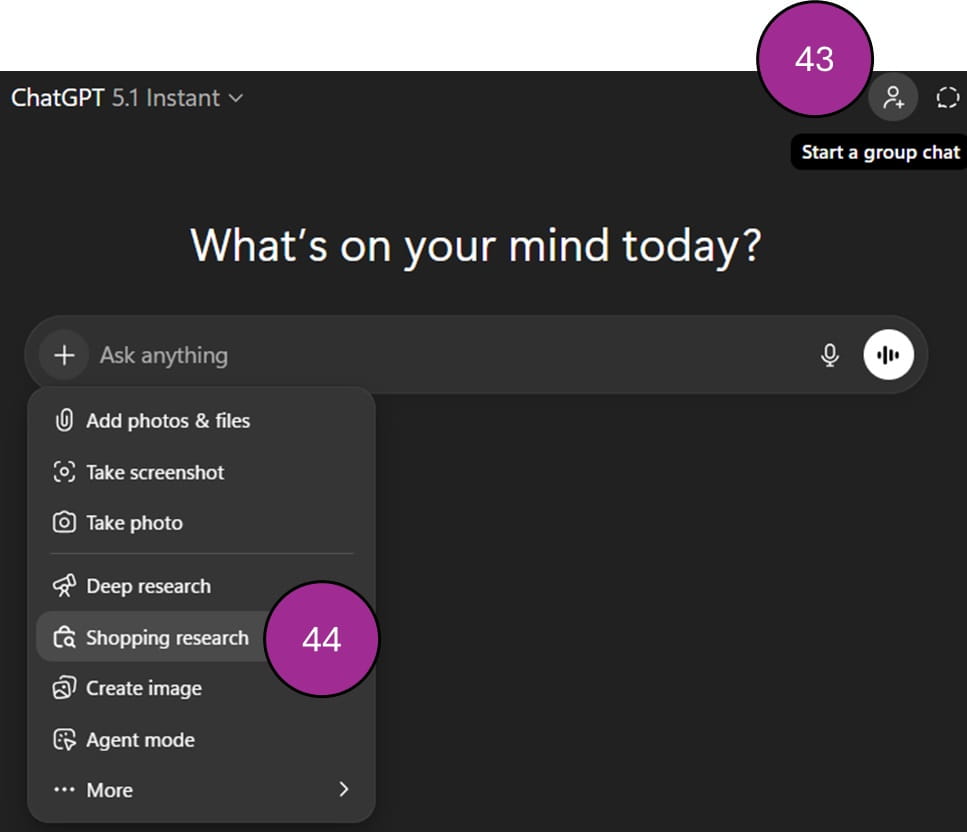
- Group chats: send others the link to a chat and they will get all the updates you do.
- Shopping research mode: From the new chat dialog, click + > Shopping research, it will use chat history, reviews, availability and more to scan the internet for your shopping needs. More info
Canva
- Turn your phone into a slide clicker with presenter notes: From presenter view click … then scan the QR code and your slid notes will appear along with options to advance slides
- Record your screen: From any design in the Canva desktop app, go to Uploads > Record yourself
- Canva Affinity: Download a new desktop app that can create images, vectors and layouts all in one (which Adobe has three applications for: Photoshop, Illustrator & Indesign).
- With an updated brand system, marketing departments can designate the images, charts, icons, fonts etc. which then become the blueprint for any AI created designs.
- Video 2.0: A huge upgrade to its video engine with a timeline, AI integration and more. Canva has pledged to be the market leader in design
- Publish directly to YouTube or Instagram
- Canva Forms: A new section under Elements allows you to add questions to any design, then you can publish the form and collect the results similarly to Google or Microsoft Forms
- Canva email design: Design visually stimulating emails to then export to html to send via another platform.
- Gradient text fill: Apply a gradient colour to a text box in the colour picker. Choose + then go to the gradient tab.
- Canva Grow can publish graphics as ads to social media sites and track their analytics.
- Pixel eraser: Make any part of a picture transparent to reveal the design underneath.
- Ask Canva AI chat on any item: Click “Ask Canva” throughout the design process to get AI to make changes piecemeal to any element in your design.
- Copy art style: Use AI to take one graphic's style into another by using the purple paintbrush up top.
- Style match: Click on a graphic (not a photo) Edit > Style match and choose one to edit the art technique.
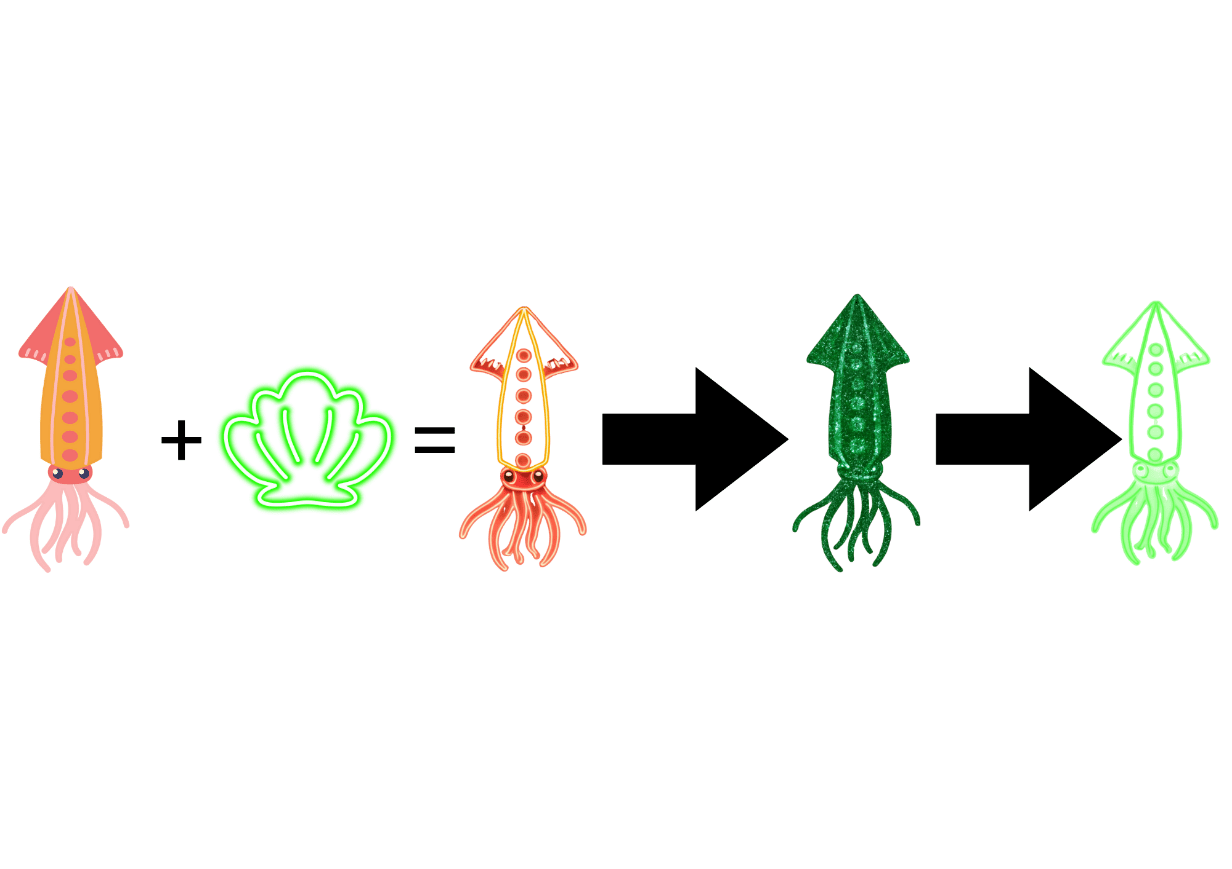
The video below showcases 56-58 to recolur graphics in Canva.
That wraps up the updates until November 2025, come back for more new features in March 2026.
Archive and Knowledge Base
This archive of Excel Community content from the ION platform will allow you to read the content of the articles but the functionality on the pages is limited. The ION search box, tags and navigation buttons on the archived pages will not work. Pages will load more slowly than a live website. You may be able to follow links to other articles but if this does not work, please return to the archive search. You can also search our Knowledge Base for access to all articles, new and archived, organised by topic.
