
Introduction
On Wednesday 8th July the ICAEW is set to launch the updated Spreadsheet Competency Framework at an event in Chartered Accountants’ Hall. The intention of the framework is to give employers guidance in the spreadsheet skills and capabilities that are important for different work roles and also to help all spreadsheet users to understand the level at which their existing spreadsheet capabilities place them. It also provides both employers and individuals with the information needed to target their spreadsheet development to attain whatever level they need.
Since the framework was launched originally in 2016, spreadsheets in general, and Excel in particular, have seen some very significant enhancements. As well as the increased acceptance of Power Query, which was already very significant when the framework was first introduced, we now have Dynamic Arrays, a host of new functions and, of course, AI. However, it’s not just the content of the individual competencies that has been updated, industry experts have also set out how the framework applies to an initial set of job roles with the capability of extending this to additional roles in the future.
The dashboard
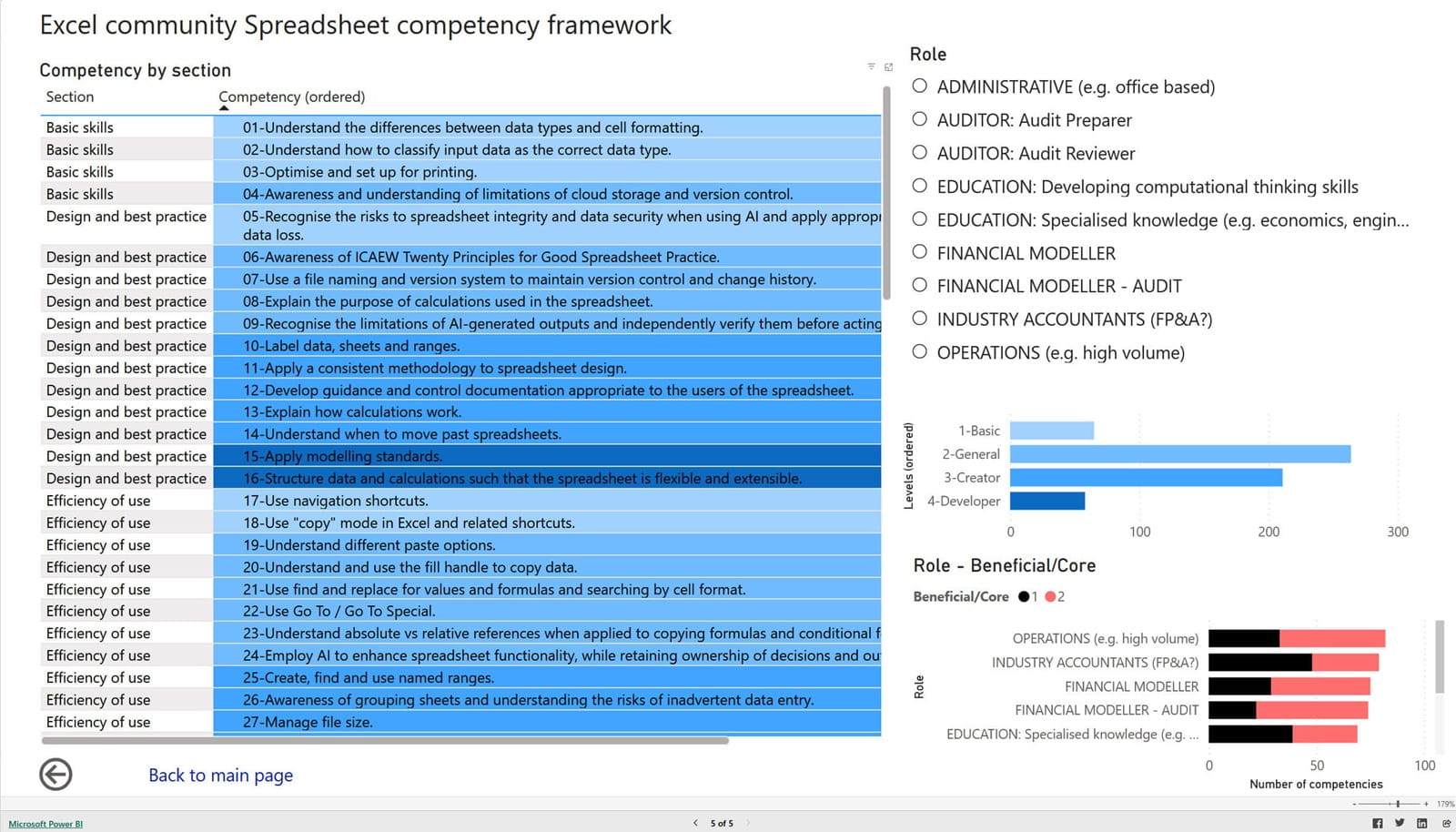
The other big change for the framework is the move from a printed booklet with a centre-page pullout to a more dynamic online version. As part of moving the presentation from hard copy to online, Power BI has been used to create an interactive dashboard that allows users to see the competencies relevant to their own role with a single click. Here we can see the full list of competencies:
We can choose an individual role to see which competencies are judged as relevant:
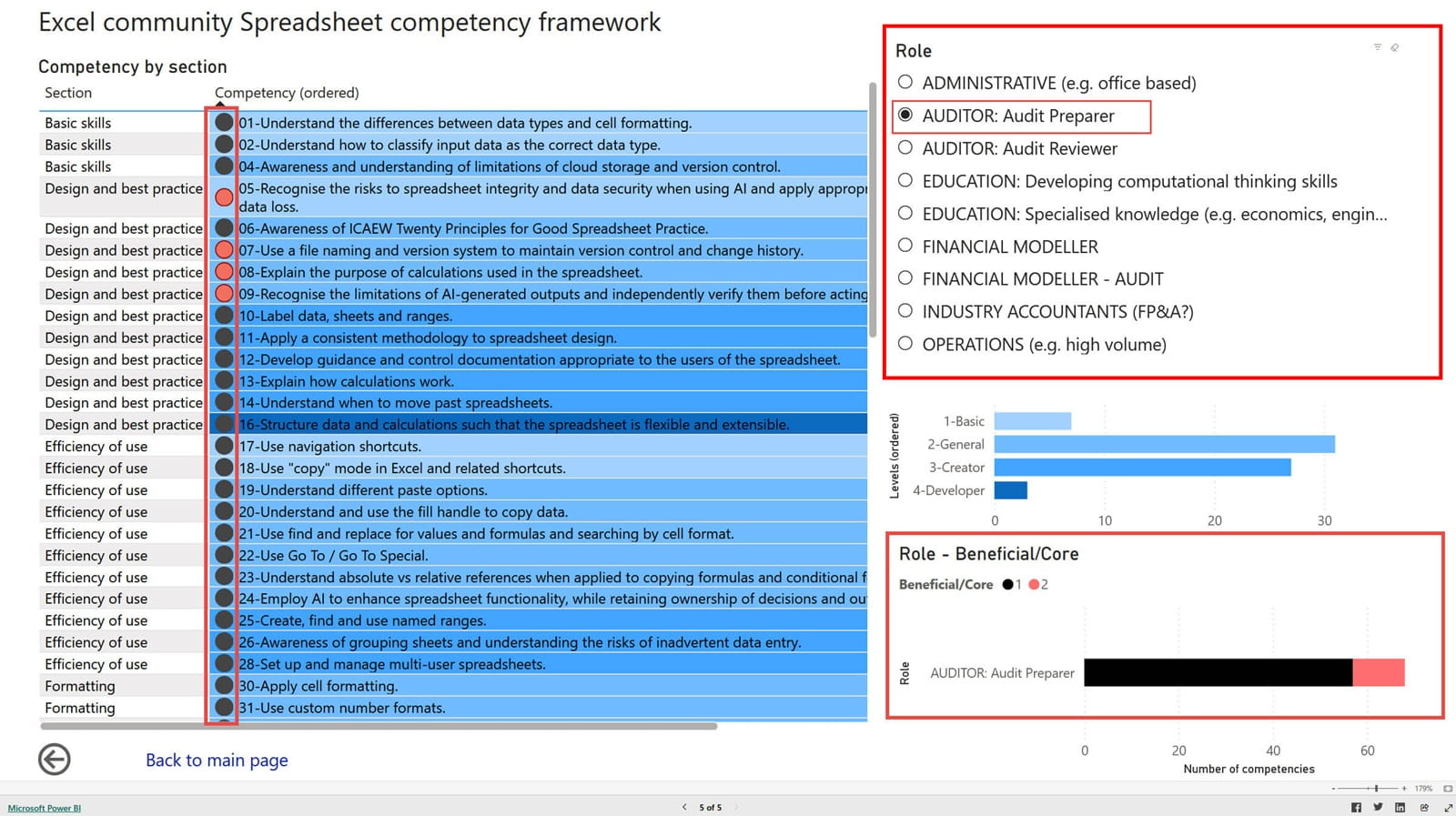
As well as showing which competencies are relevant for each role, those competencies are split between those which are core to the role and those which are beneficial.
From prototype to archive portal dashboard
The framework dashboard was originally created as a standalone Power BI report for evaluation before it was subsequently incorporated into the main archive portal. This involved copying the dashboard page, together with its supporting queries, from one Power BI report to another.
Copying the page visualisations is straightforward. Having added a new blank report page to the recipient report, all the visualisations on the prototype page can be selected using the Control+a keyboard shortcut and then copied using Control+c, before using Control+v to paste all the page contents into the new blank page.
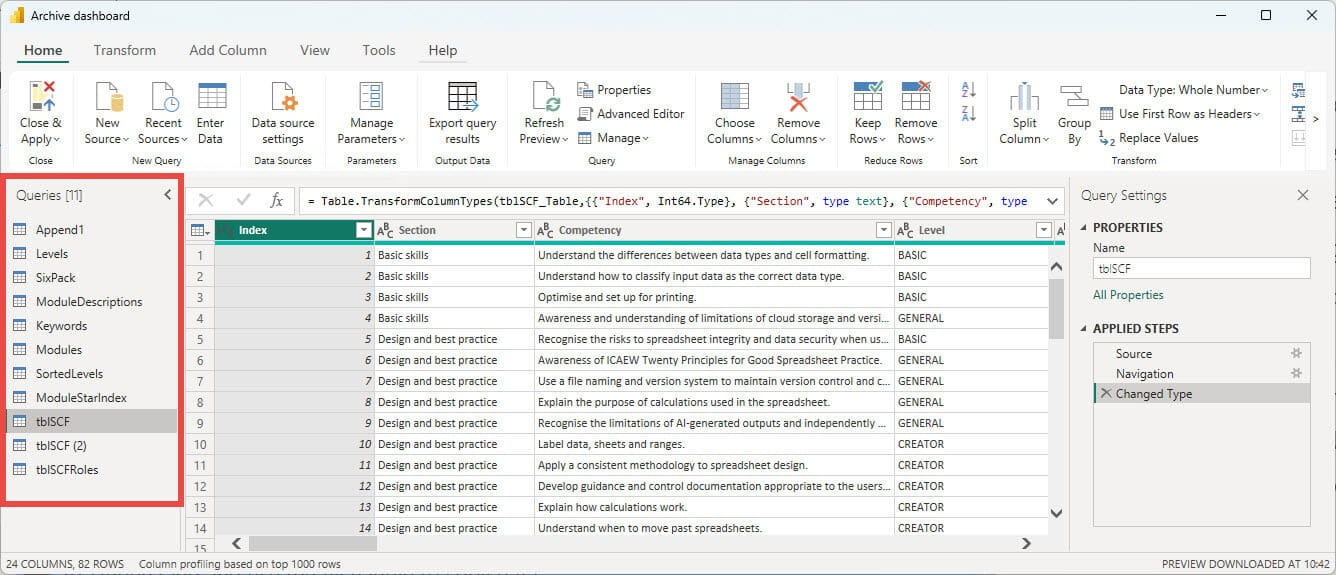
Copying the queries is nearly as straightforward. The added complication is the need to use Edit Query to open the query view in Power BI in both reports before copying each required query and then pasting it from the prototype to the archive portal:
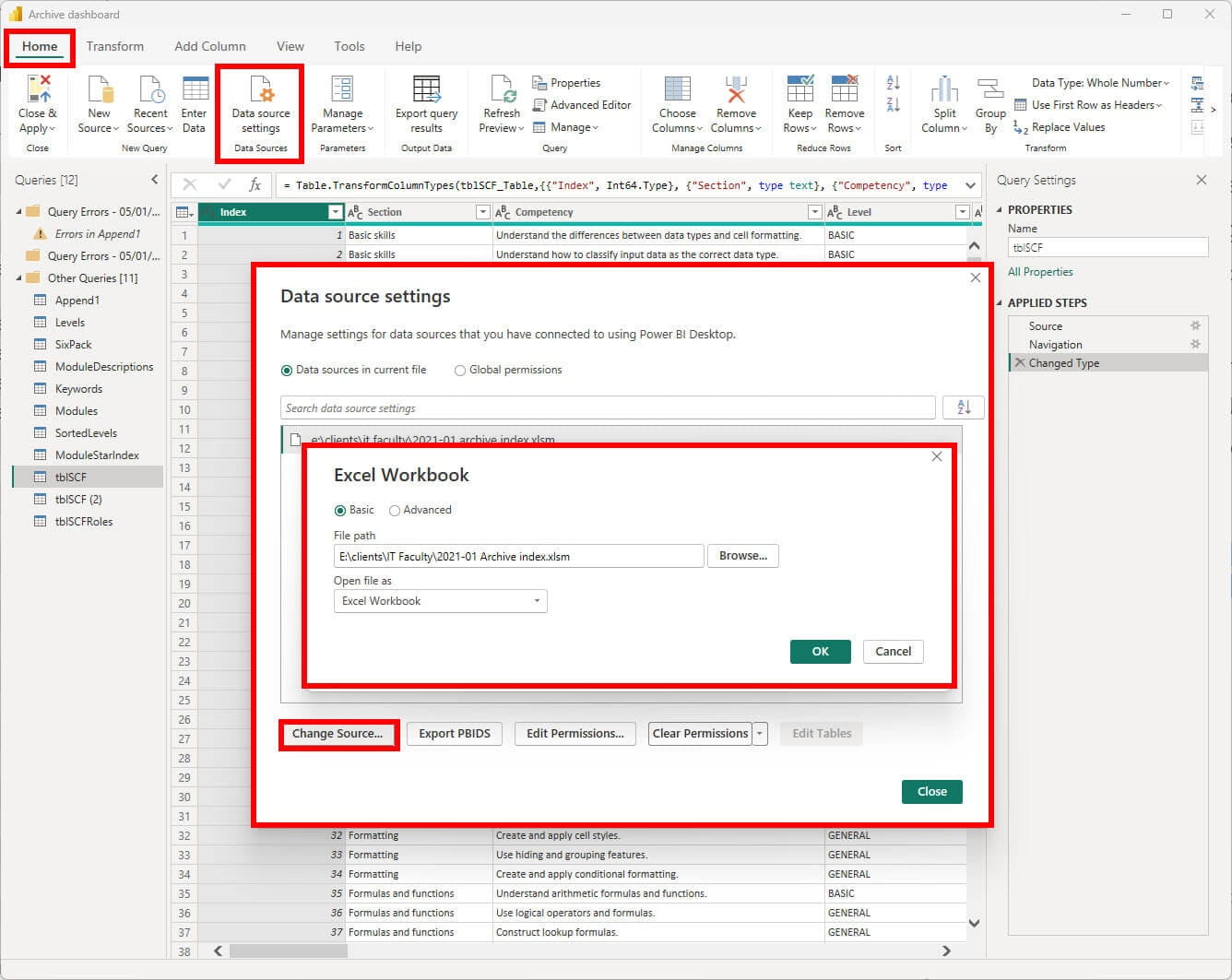
Finally, if the locations of any of the data sources are different, they can be changed using the Data Source Settings command in the Home ribbon tab of the Edit Query view:
Conclusion
The Spreadsheet Competency Framework is an essential tool that can help ensure that each member of a team has the appropriate spreadsheet skills for their role. It can also play an important part in helping individuals to understand the skills that they already possess and also which skills to improve to achieve their chosen level of expertise.
Additional resources
The Spreadsheet Competency Framework page can be found in the Power BI based ICAEW Excel archive portal. Just navigate to page 5: ‘Competency by role’:
The 'Open in full-screen mode' icon in the bottom right-hand corner of the embedded report should show the contents at a more readable size with the Escape key returning you to the post.
Archive and Knowledge Base
This archive of Excel Community content from the ION platform will allow you to read the content of the articles but the functionality on the pages is limited. The ION search box, tags and navigation buttons on the archived pages will not work. Pages will load more slowly than a live website. You may be able to follow links to other articles but if this does not work, please return to the archive search. You can also search our Knowledge Base for access to all articles, new and archived, organised by topic.
